This fifine audio mixer sc3 review looks at a compact streaming mixer built around direct controls for a single microphone and several audio channels.
Its XLR input, mute and monitor buttons, sound effects, and RGB lighting suit creators who want quick adjustments without relying only on software.
FIFINE SC3 Mixer Review Summary
The quick verdict
4,000+ ratings
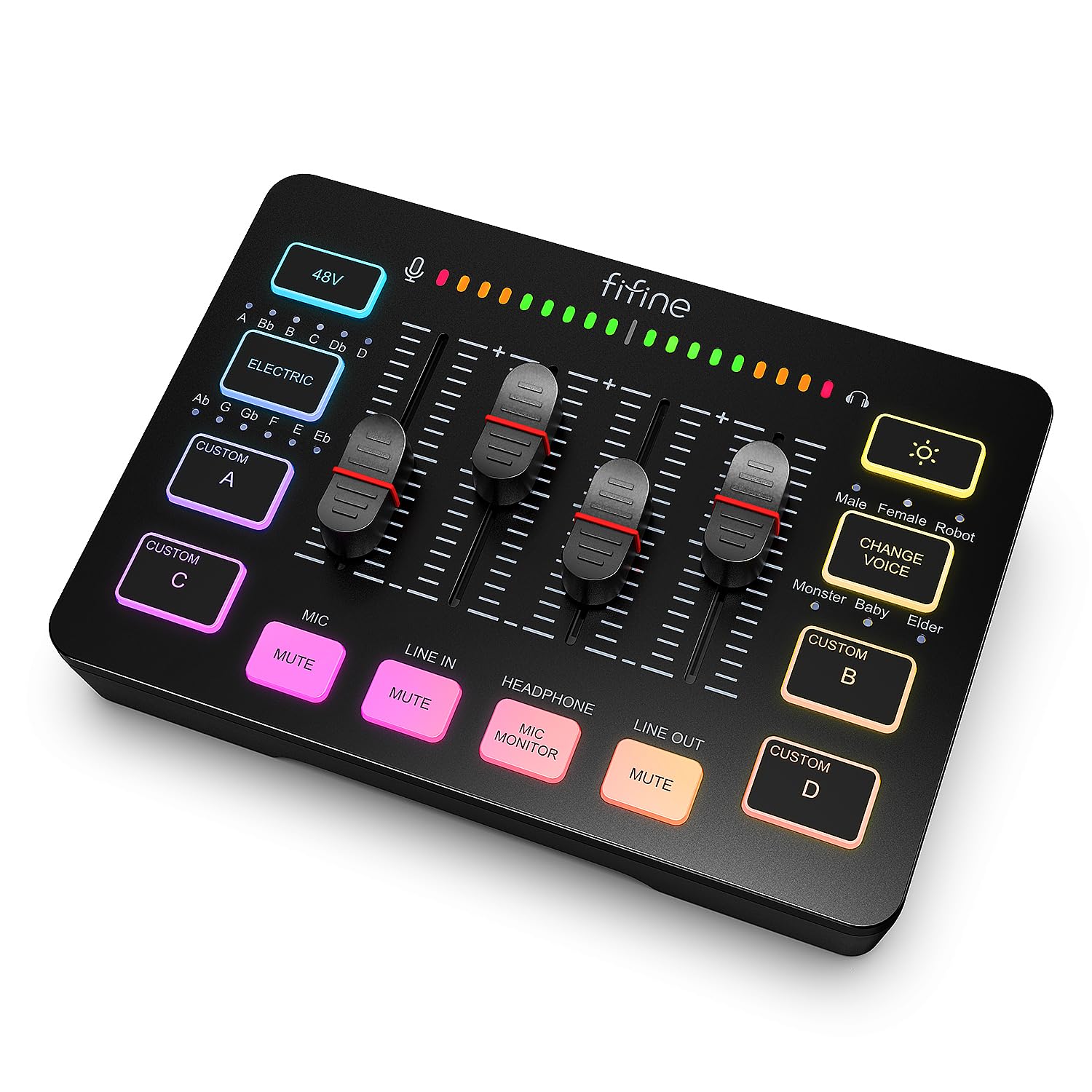
Read Amazon ReviewsFIFINE AmpliGame SC3
A practical fit for beginner streamers who want hands-on control, an XLR mic input, and quick sound effects in a PC-focused setup.
- One XLR microphone input with built-in 48V phantom power for compatible condenser microphones; USB microphones are not supported.
- Four independently adjustable channels for microphone, line input, headphones, and line output.
- A smooth volume slider, plus front-facing mute and real-time monitoring buttons.
- Four customizable sound buttons, six voice-changing modes, and 12 auto-tune changes.

Pros
- Physical channel controls make it easier to adjust several audio levels without depending entirely on software.
- Built-in phantom power broadens microphone options for compatible XLR condenser models.
Consider before buying
- The single XLR input limits its fit for setups that need to connect multiple XLR microphones directly.
- USB microphones are not supported, so buyers using one would need a different microphone setup.
Read the full review summary
The AmpliGame SC3 combines a four-channel volume layout with an XLR microphone input and 48V phantom power, making it a straightforward step into hardware audio control for streaming or voice recording.
Front-mounted mute and monitoring buttons, a slider, and programmable sound buttons keep common adjustments within reach.
It is best suited to a beginner or casual streamer with an XLR microphone, a computer-based setup, and a use for voice effects or quick sound cues.
Buyers should plan for a separate XLR cable and check their device connections and audio routing needs before choosing it, especially if they use a USB microphone or a more involved multi-device setup.
The buying factors
FIFINE SC3 Mixer Scorecard
Editorial scores reflect listed features and buyer fit; they are not laboratory measurements or customer ratings.
Hands-on channel control
Four independently controlled channels and a physical slider make routine level adjustments accessible on the mixer.
Microphone flexibility
An XLR input with 48V phantom power supports a range of microphone choices, though the design is intended for one mic input.
Live operation
Front mute and monitoring buttons provide quick access to two useful controls during a stream.
Creative sound options
Four customizable sound buttons, six voice-changing modes, and 12 auto-tune changes offer variety for interactive content.
Setup versatility
The described connections accommodate a computer, line input, headphones, and line output, with dual-PC use also noted.
Beginner fit
A plug-and-play approach for Mac and Windows and prominent physical controls are approachable for new streamers.
Key Features and Specifications of FIFINE SC3 Mixer
- One XLR microphone input with built-in 48V phantom power for compatible condenser microphones; USB microphones are not supported.
- Four independently adjustable channels for microphone, line input, headphones, and line output.
- A smooth volume slider, plus front-facing mute and real-time monitoring buttons.
- Four customizable sound buttons, six voice-changing modes, and 12 auto-tune changes.
- Controllable RGB lighting with flowing or fixed color options.
- USB-C computer connection and 3.5 mm line input; described for Mac and Windows, with dual-PC use supported.
- A USB-C to USB-A/C cable and a 3.5 mm audio cable are identified for connection; the XLR cable is not included.
Pros and Cons of FIFINE SC3 Mixer
Pros
- Physical channel controls make it easier to adjust several audio levels without depending entirely on software.
- Built-in phantom power broadens microphone options for compatible XLR condenser models.
- Front mute and monitor controls are convenient for live speaking and listening checks.
- Custom sound buttons and voice effects add ways to make streams more interactive.
Consider before buying
- The single XLR input limits its fit for setups that need to connect multiple XLR microphones directly.
- USB microphones are not supported, so buyers using one would need a different microphone setup.
- An XLR cable must be purchased separately; cable quality and condition can affect the audio chain.
- The effect controls are aimed at streaming and entertainment, so buyers seeking a simpler mixer may not use all of them.
Who Should Buy FIFINE SC3 Mixer?
Good fit
Consider the SC3 if you want physical control over microphone, line-in, headphone, and line-out levels in a streaming or recording setup.
Its front mute and monitoring buttons make practical sense when you need to check your voice or quickly silence the mic while staying in the flow of a broadcast.
It is also a good feature match for creators who will use its soundboard and voice effects.
Before buying, confirm that your microphone is XLR rather than USB, that it does not require equipment beyond the included phantom power, and that you have the separate XLR cable and any needed connection cables for your setup.
Who should skip it
Skip it if your primary microphone is USB and you do not plan to switch to an XLR model.
Choose a more specialized interface if you need more than one XLR mic input or have specific routing requirements that the listed channel and connection layout does not cover.
How the FIFINE SC3 Mixer Fits a Streaming Desk
Channel control for live adjustments
The SC3 assigns independent controls to microphone, line input, headphones, and line output.
This makes the layout useful when a streamer wants to adjust several signal levels from the desk, while the slider offers a direct adjustment for a one-microphone recording setup.
Microphone choice and power
The XLR input and 48V phantom power support compatible condenser microphones, but the SC3 does not accept USB microphones.
Check your microphone’s connection and power requirements before ordering; the supplied description also cautions that the XLR cable is separate and that its condition and shielding can influence audio quality.
Useful buttons, plus playful effects
Mute and real-time monitoring are the most directly practical live controls: one can cut the mic quickly, while the other helps you hear your voice as you speak.
The four customizable sound buttons, six voice-changing modes, and 12 auto-tune changes suit creators who want effects and cues as part of their broadcasts.
Connections and setup fit
The listed ports cover microphone and line input, headphones and line output, with a headset interface also described.
The mixer is presented as a plug-and-play option for Mac and Windows and can support dual-PC arrangements; buyers with a more complex signal path should map their devices to the available connections before choosing it.
Alternatives to FIFINE SC3 Mixer
DJ Mixers alternative
4,000+ ratings
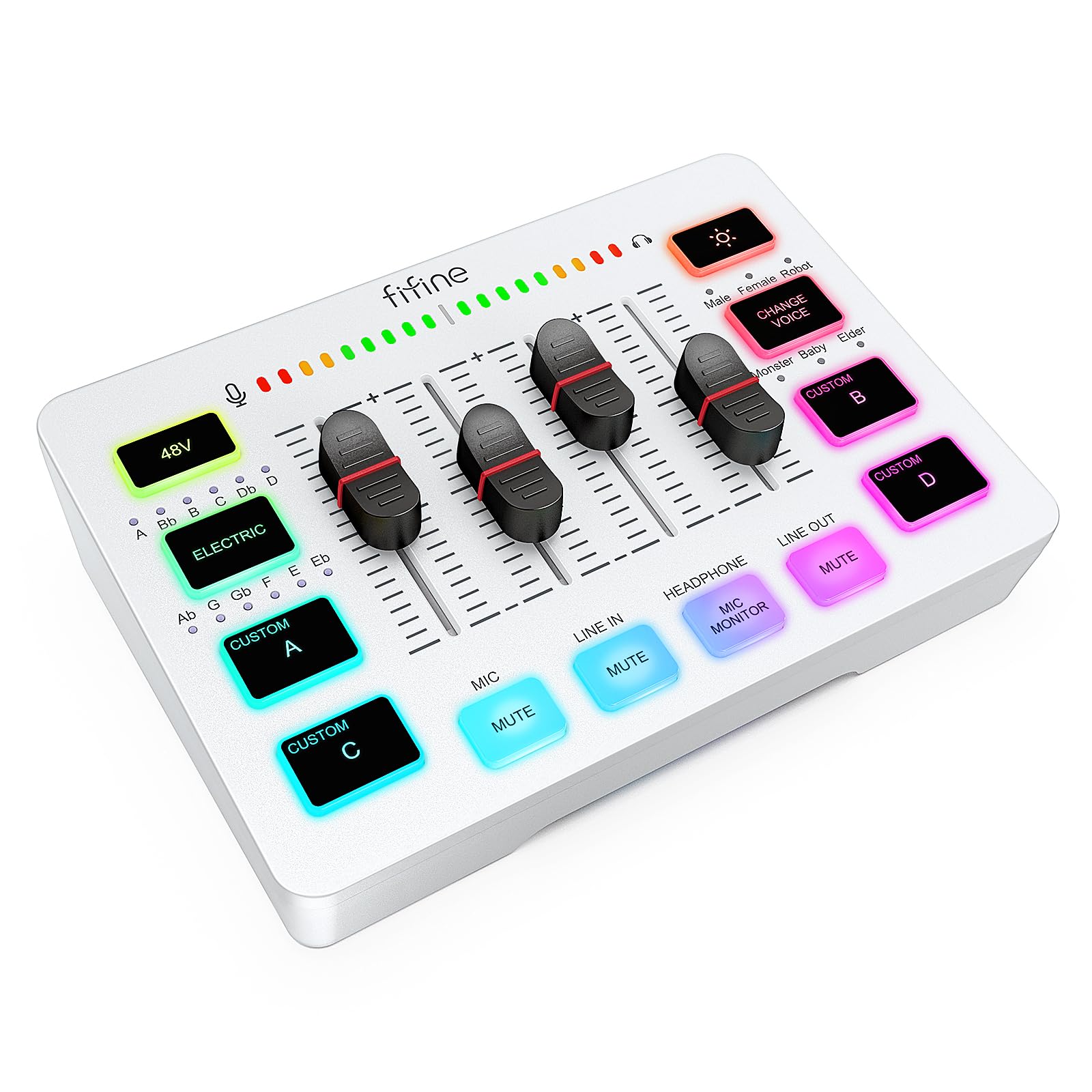
Read Amazon ReviewsFIFINE AmpliGame SC3W
The SC3W is the closest supplied alternative for buyers considering this control layout.
Compare the exact port arrangement and included accessories for your setup; the descriptions overlap substantially, so there is no clearly documented functional reason to choose one over the other.
- The SC3W description also lists four individually controlled channels, XLR input with 48V phantom power, mute, monitoring, multiple audio ports, RGB lighting, voice effects, and customizable sound buttons.
- The SC3 provides four channel controls, an XLR input with 48V phantom power, and front mute and monitoring buttons.
DJ Mixers alternative
300+ ratings
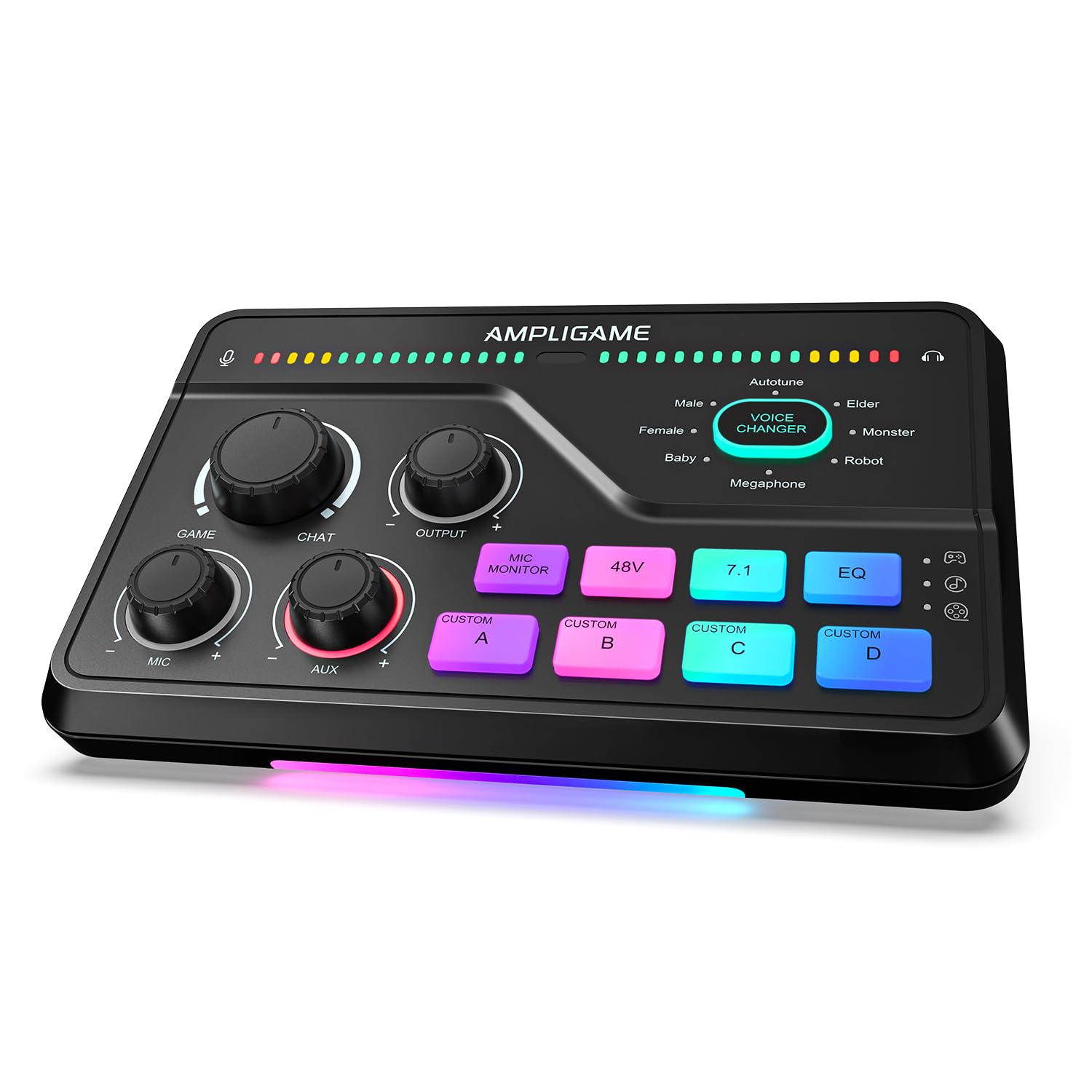
Read Amazon ReviewsFIFINE AmpliGame SC8
Consider the SC8 if game/chat balancing, surround processing, and its broader listed device connections matter more to your routine.
The SC3 is a better match if you prefer its four-channel physical control layout and do not need those gaming-focused features.
- The SC8 description adds virtual 7.1 surround, three EQ modes, a game/chat balance dial, and stated PC, PS5, Switch, mobile, PS4, or TV connection options.
- It also lists XLR input with phantom power, voice effects, and customizable sound buttons.
- The SC3 focuses on four channel sliders or levels, a single XLR mic input, and direct line-in, headphone, and line-out control.
Is FIFINE SC3 Mixer Worth It?
The FIFINE AmpliGame SC3 is worth considering for beginner streamers who want an accessible desk mixer with an XLR microphone input, phantom power, independent channel controls, and convenient live buttons.
Its effects and RGB lighting add appeal for entertainment-focused broadcasts.
Check microphone compatibility, cable needs, and your routing plan before buying.
The single XLR input and USB-mic incompatibility make it a poor match for some setups, while creators who will use its controls and sound effects get the clearest value from its feature set.
Your review at a glance
4,000+ ratings
Read Amazon ReviewsFIFINE AmpliGame SC3
A practical fit for beginner streamers who want hands-on control, an XLR mic input, and quick sound effects in a PC-focused setup.
- One XLR microphone input with built-in 48V phantom power for compatible condenser microphones; USB microphones are not supported.
- Four independently adjustable channels for microphone, line input, headphones, and line output.
- A smooth volume slider, plus front-facing mute and real-time monitoring buttons.
- Four customizable sound buttons, six voice-changing modes, and 12 auto-tune changes.